This guide is for merchants. On Google Shopping, shoppers see your product, price and store next to the same or similar products from other stores, and can compare them before they click. In the 21 countries of Google's CSS program, Shopping ads and free product listings are placed by comparison shopping services (CSSs) – Google Shopping is one of them. Your price is shown the way you submit it in Merchant Center, Google can add sale or price drop annotations, and the Pricing reports in Merchant Center show how your price compares with the benchmark for the same product. Which CSS places your ads does not change how your price looks to shoppers, but it can change what you pay per click: an independent CSS can lower Shopping CPCs by up to 20%.
What "price comparison" means on Google Shopping in Europe
Comparison shopping services and the "By" link
In the European Economic Area, Switzerland and the UK, Google requires that Shopping ads and free product listings are placed through comparison shopping services. Google Shopping (often called Google Shopping Europe) bids for the merchants it represents like any other CSS, and Google says all CSSs, including Google Shopping, have the same opportunities to place ads on a merchant's behalf. Each ad shows a "By" link at the bottom with the name of the CSS that placed it. More on this in What is Google CSS?
CSS comparison sites
Every CSS also runs its own comparison site. According to Google's CSS program requirements, that site must let users search and compare products, show products from at least 50 distinct merchant domains in every country it serves, and offer sorting or filtering by price plus at least one other dimension such as brand, merchant or shipping time. Product results must lead to merchant pages where the shopper can buy the product.
Merchant Shopping ads and CSS Product Listing ads
The ads you run from your own Google Ads account are merchant Shopping ads, placed by your CSS. A CSS can also run ads that send users to its own comparison site – see CSS Product Listing ads for the difference.
How your price is shown next to competitors
The price must match your site
Google's rules for the price attribute are simple: submit an amount and currency that match the price on your landing page and at checkout. If they don't match, Google can disapprove the product. A correct price is the starting point for any comparison – an ad that is disapproved is not compared at all.
Sale price annotations
If you submit a sale_price, Google can show it as the current price next to the original price with a strikethrough. For Shopping ads outside the US, Google's conditions include a discount greater than 5% and less than 90%, and a base price that was valid for 30 days within the past 200 days. Google also notes that these annotations are not guaranteed to show.
Price drop annotations
Google can also show a price drop annotation when your current price is lower than the average price you listed in the past 60 days. Google describes it as designed to show only after a significant drop, so small changes usually won't trigger it.
Check your price position in Merchant Center
Price benchmarks
Merchant Center's Pricing reports show a benchmark for products sold by several retailers. Google defines the benchmark as the average price that typically leads to more successful ad auctions, impressions, clicks or conversions, calculated from all retailers selling a product with the same GTIN in Shopping ads and free listings. Without a valid GTIN you won't see a benchmark for that product.
Sale price suggestions
Merchant Center can also suggest prices for some products. Google bases these suggestions on reported conversions, so they require conversion tracking.
Competing on price vs competing on CPC
Price comparison affects whether a shopper picks your offer. The cost of getting that offer in front of them is a separate lever.
| Lever | What it changes | Where you set it |
|---|---|---|
| Price | How attractive your offer is next to others | Your shop and the price attribute in Merchant Center |
| Sale price | Strikethrough annotation, if Google's conditions are met | sale_price attribute |
| GTIN | Matching with the same product from other stores; price benchmarks | gtin attribute |
| Bids and budgets | How often and how high your ads appear | Google Ads |
| Choice of CSS | How much of your bid goes to the click vs to the CSS margin | Merchant Center (CSS selection) |
Where a CSS partner fits
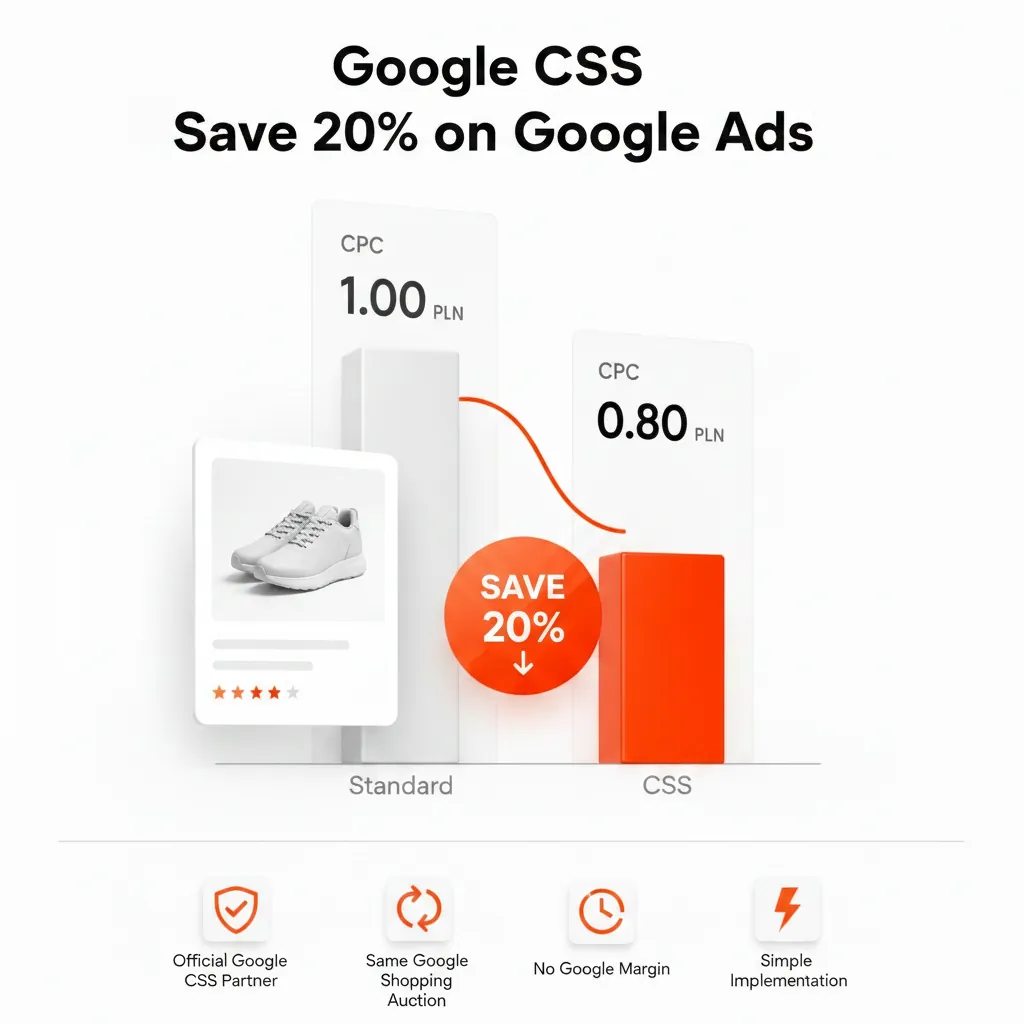
Switching CSS does not change your price, your feed or how your ad looks to shoppers – only the name in the "By" link. What it changes is cost. Google Shopping Europe deducts a margin from each bid before it enters the auction (widely estimated at around 20%), while independent CSSs set their own fees. That is why an independent Google CSS partner can lower your Shopping CPC by up to 20%, depending on category and competition. The full comparison is in Google CSS vs Google Shopping Europe, and how campaigns run after the switch is covered in CSS in Google Ads: Shopping and Performance Max.
Google also notes that a merchant is never second-priced against itself in the auction, even when it works with several CSSs through separate Merchant Center accounts.
Checklist for merchants
- Make sure feed prices match your landing pages and checkout.
- Add valid GTINs so your products can be matched and benchmarked.
- Check the Pricing reports in Merchant Center for products priced well above the benchmark.
- Use
sale_pricefor real promotions only, within Google's conditions. - Set up conversion tracking so price suggestions and bidding have data.
- Check which CSS places your ads and what it costs you – estimate the difference with the CSS savings calculator.
Feedve is an independent CSS in all 21 CSS countries with a flat monthly fee – see pricing. Agencies can offer the same under their own brand with white label CSS for agencies.
Frequently asked questions
How does Google Shopping price comparison work?
Shopping ads and free listings show your product with its price and store next to offers from other stores. Shoppers compare and click through to the store. In the CSS countries, these ads are placed by comparison shopping services, including Google Shopping.
Is Google Shopping a comparison shopping service?
Yes. In the CSS program countries, Google Shopping is one of the CSSs and bids for the merchants it represents like any other CSS.
What is the price benchmark in Merchant Center?
According to Google, it is the average price that typically leads to more successful ad auctions, impressions, clicks or conversions, based on all retailers selling a product with the same GTIN in Shopping ads and free listings.
Why doesn't my sale price show as a strikethrough?
Google shows sale price annotations only when its conditions are met – for example a discount between 5% and 90% and, outside the US, a base price that was valid for 30 days within the past 200 days – and even then they are not guaranteed.
Does a CSS change how my price is shown to shoppers?
No. Your price comes from your feed. The CSS only changes the name in the "By" link and what you pay per click.
Can a CSS partner make my products cheaper to advertise?
It can lower your cost per click by up to 20% compared with Google Shopping Europe, depending on category and competition. Your product prices stay the same.
Sources
- Google Merchant Center Help – About advertising with Comparison Shopping Services
- Google CSS Center Help – CSS program requirements
- Google Merchant Center Help – Price [price]
- Google Merchant Center Help – Sale price annotations
- Google Merchant Center Help – Price drop annotations
- Google Merchant Center Help – Pricing in Merchant Center