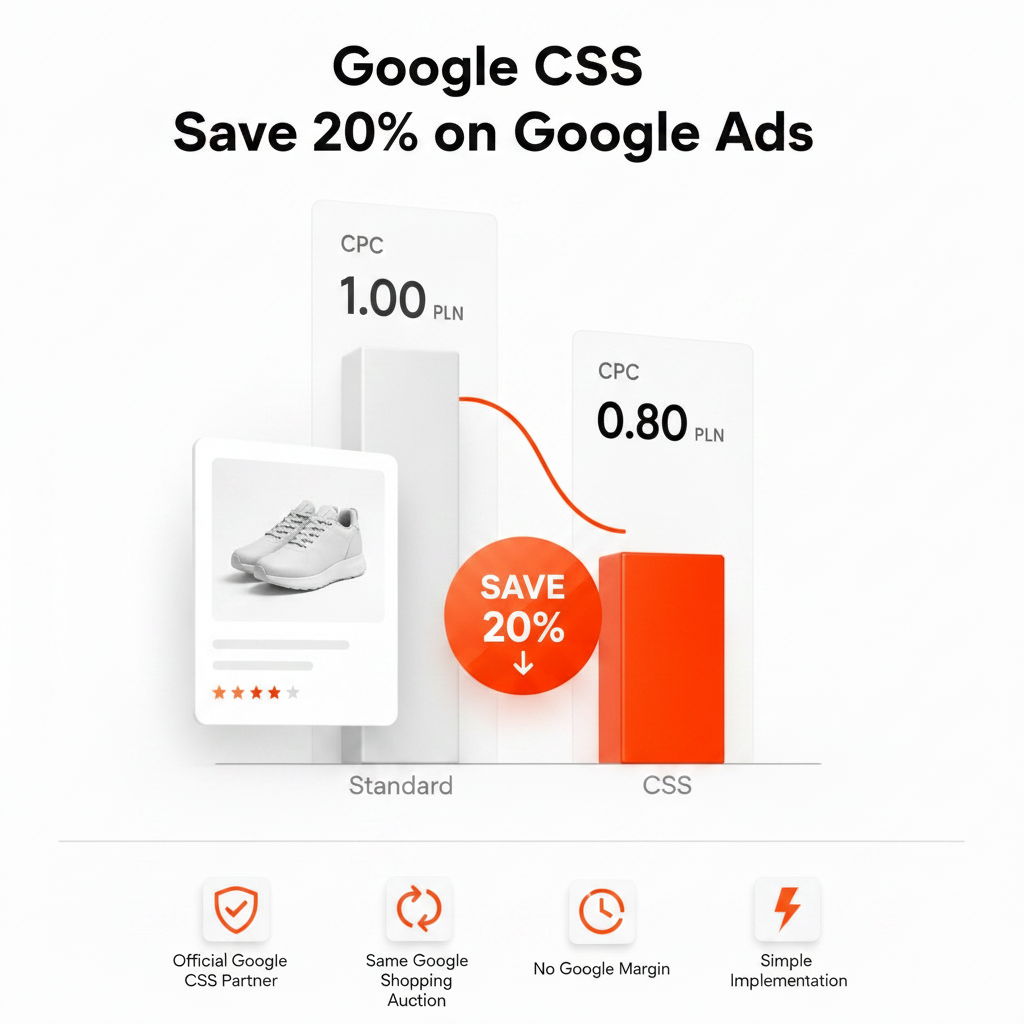
Google CSS (Comparison Shopping Service) is the system through which Shopping ads are placed on Google in 21 European countries. Instead of sending products straight to Google Shopping, every merchant works with a CSS – Google's own or an independent partner – which bids in the Shopping auction on the merchant's behalf. Choosing an independent CSS partner can lower the cost per click (CPC) of Shopping ads by up to 20%, without rebuilding campaigns or the product feed.
This guide explains what Google CSS is, where the saving comes from, what changes when you use a CSS partner and how to choose one. Facts about the program are based on Google Merchant Center Help (linked at the end). Where a number is an industry estimate rather than an official Google figure, we say so.
What is Google CSS?
A Comparison Shopping Service is a website that collects product offers from many online stores so shoppers can compare them. Within Google's CSS program, these services can also place Shopping ads and free product listings on Google for the stores they represent. According to Google, in the countries covered by the program, Shopping ads and free product listings have to be placed through a CSS.
In practice this means:
- every Shopping ad in the 21 program countries is placed by a CSS;
- Google Shopping itself is one of those CSSs – in Europe it is usually referred to as Google Shopping Europe (GSE);
- independent CSS partners compete with Google Shopping Europe in the same auction, under the same rules.
If you have never chosen a CSS, your Merchant Center account is almost certainly using Google Shopping.
Why the CSS program exists
In June 2017 the European Commission fined Google €2.42 billion for abusing its dominance as a search engine by giving its own comparison shopping service an illegal advantage. To comply, Google opened the Shopping ad space in Europe to rival comparison shopping services, which can bid for Shopping ad placements on the same terms as Google's own service. In September 2024 the Court of Justice of the European Union upheld the decision and the fine.
A key part of the setup is that Google Shopping in Europe has to operate as a stand-alone business that covers its own costs. That detail explains the price difference described below.
How Google CSS works
- Products stay in Merchant Center. Your product data lives in a Merchant Center account, and each Merchant Center account is associated with one CSS at a time. A CSS uses a separate Merchant Center account for every merchant it represents.
- Campaigns stay in Google Ads. With a self-service CSS you keep running Shopping and Performance Max campaigns in your own Google Ads account, with your own budgets and bid strategies. Google treats any campaign that uses data from a Merchant Center account as belonging to the CSS that account is associated with.
- The CSS places your offer in the auction. When someone searches for a product, the CSS bids for your offer. Each Shopping ad shows a small “By [CSS name]” link at the bottom, which leads to the CSS's comparison site.
- Same rules and tools for everyone. According to Google, all CSSs have access to the same features, including conversion reporting and automated bidding, and all Shopping ads must meet the same policies and product data specification.
Where the saving comes from: Google Shopping Europe vs. CSS partners
Google Shopping Europe bids for the merchants it represents like any other CSS. Because it has to be profitable on its own, Google says it deducts a fixed percentage margin from each merchant bid. Google does not publish the percentage; across the industry it is widely estimated at around 20%.
Independent CSS partners charge for their service in other ways – some add a markup to the CPC, others charge a flat monthly fee – so your bid is not reduced by Google Shopping's margin before it enters the auction. You can use that difference in two ways:
- Same visibility, lower CPC – keep your current positions and pay up to 20% less per click;
- Same budget, more clicks – reinvest the difference into more impressions and traffic.
How much of that you actually see depends on your category, the competition in your auctions and your bid strategy. Treat “up to 20%” as a ceiling, not a guarantee, and compare CPC and impression share before and after the switch.
Example calculation
Illustrative numbers only: a store spends €5,000 a month on Shopping ads at an average CPC of €0.50, which buys about 10,000 clicks.
| Scenario | Monthly spend | Clicks |
|---|---|---|
| Google Shopping Europe | €5,000 | ≈ 10,000 |
| CSS partner, CPC 20% lower, same clicks | ≈ €4,000 | ≈ 10,000 |
| CSS partner, CPC 20% lower, same budget | €5,000 | ≈ 12,500 |
These figures assume the full 20% and exclude the CSS partner's own fee; real results are often lower. To run the numbers for your store, use the Google CSS savings calculator.
Where is Google CSS available?
The CSS program covers 21 countries: Austria, Belgium, Czech Republic, Denmark, Finland, France, Germany, Greece, Hungary, Ireland, Italy, Netherlands, Norway, Poland, Portugal, Romania, Slovakia, Spain, Sweden, Switzerland and the United Kingdom.
There is no CSS program outside these countries – for example in the United States or Canada – so the price advantage applies only to Shopping ads served in the 21 program countries. If you sell elsewhere too, check which countries your CSS supports: Google notes that after a switch, products targeting countries outside the program stop serving unless the new CSS covers them.
What changes – and what doesn't – with a CSS partner
What stays the same:
- your Google Ads account, campaigns, budgets, bid strategies and campaign history;
- your Merchant Center account, product feed and users;
- conversion tracking and automated bidding;
- the product title, image, price and store name shown in your ads.
What changes:
- the CSS that places your offers in the Shopping auction;
- the “By …” link at the bottom of your Shopping ads;
- how you pay for the service: the CSS partner's fee instead of Google Shopping's built-in margin.
Two things are worth checking before you move:
- Surfaces. By default, a CSS can place products only in the Shopping unit on Google Search results. Some CSSs are also opted in to other surfaces such as the Shopping tab, Display or YouTube. If you rely on dynamic remarketing or on Performance Max placements outside Search, ask your CSS which surfaces it covers.
- Free listings. In Europe you can select only one CSS for free product listings.
How to start using a CSS partner
You don't need a new Merchant Center or Google Ads account. The standard route is an account switch:
- Choose a CSS partner and give it your Merchant Center account ID.
- The partner sends a switch request from its CSS Center, and the admins of your Merchant Center account are notified.
- A Merchant Center admin approves the request.
- The switch takes effect after a grace period of up to 14 days, which your current CSS can shorten or waive. During the grace period you can still change your mind.
Approving the request takes a few minutes, and nothing has to be rebuilt in your campaigns or feed. The full walkthrough, including what to check before and after, is in How to switch CSS partner in Google Merchant Center.
You can also work with several CSSs at once. Google says a merchant is never second-priced against itself, so being represented by more than one CSS does not drive up your own CPC – although one Merchant Center account can be associated with only one CSS at a time. For a point-by-point comparison of the two options, see Google CSS vs Google Shopping Europe.
How to choose a Google CSS partner
- Pricing model. Flat monthly fee, markup on CPC or commission on sales? Work out the total cost at your current and expected spend – percentage-based fees grow as your budget grows.
- Country coverage. Does the CSS support every program country you sell in?
- Surfaces. Only the Shopping unit on Search, or also the Shopping tab, Display and YouTube?
- Account control. Do you keep your own Google Ads account and billing, or does the CSS manage campaigns for you?
- Contract terms. Minimum term, notice period and how easily you can leave.
- Support. Who helps with the switch and with Merchant Center issues, and in which languages?
Google's help center links to its Comparison Shopping Partners site, where you can filter CSS partners by country, industry and language.
Google CSS for agencies: white label CSS
Agencies that run Shopping campaigns for several e-commerce clients can offer CSS under their own name. With a white label CSS, clients' Shopping ads carry the agency's brand, and the agency keeps the client relationship and sets its own pricing. Feedve's white label plan costs €199 a month for unlimited client accounts. For the details, read our white label CSS guide for agencies.
Feedve as your Google CSS partner
Feedve is an independent Google CSS partner for online stores and agencies, available in all 21 program countries. You keep your own Google Ads and Merchant Center accounts, pay a flat monthly fee with no commission on ad spend, and can cancel at any time. See pricing or learn how Feedve works as a Google CSS partner.
Frequently asked questions
Is Google CSS legal and approved by Google?
Yes. The CSS program is Google's own mechanism for placing Shopping ads in the 21 program countries, introduced to comply with the European Commission's 2017 decision. Independent CSSs bid in the same auction as Google Shopping Europe, and no CSS has reserved ad space.
Will my Shopping ads look different?
Only slightly. The ad keeps your product title, image, price and store name; the small link at the bottom shows your CSS's name instead of “By Google”.
Does Google CSS work with Performance Max?
Google treats any campaign that uses data from your Merchant Center account as belonging to that account's CSS, so Shopping ads served through Performance Max go through your CSS as well. The cost advantage concerns Shopping placements; check with your CSS which other surfaces it covers.
Do I need to change my product feed or campaigns?
No. The feed, campaigns and bid strategies stay as they are. Only the CSS associated with your Merchant Center account changes.
Can I switch back to Google Shopping?
Yes. You can move your Merchant Center account to another CSS, or back to Google Shopping, through the same account switch process.
Is Google CSS available in the United States?
No. The CSS program applies only to the 21 European countries listed above.
Sources
- Google Merchant Center Help – About advertising with Comparison Shopping Services
- Google Merchant Center Help – Working with Comparison Shopping Services
- Google CSS Center Help – Switch merchant accounts between Comparison Shopping Services
- European Commission decision of 27 June 2017, case AT.39740 Google Search (Shopping); Court of Justice of the EU, judgment of 10 September 2024, case C-48/22 P.